How we turned every CRM interaction, meetings, emails, calls, and conversations, into automatically suggested, source-cited updates, and made every deal record maintain itself.
Background
Beyond the meeting transcript
CRM Auto-Update is monday CRM's AI layer that reviews sales interactions and suggests the CRM updates they imply, deal stage, contact details, next steps, with a source citation attached to every suggestion, so users can approve, edit, or dismiss with full context.
It is not based on meeting transcripts alone. It draws on the complete set of interactions already flowing through monday CRM: meetings and transcripts from the AI Notetaker, emails, logged calls, customer conversations, activity updates, and existing CRM field data.
The AI Notetaker was the first and richest source. Every sales conversation it captures generates a full transcript, an organized summary, action items, decisions, and next steps, attached directly to the customer account. But it is one input among several.
Across every one of these touchpoints, users still spent time manually updating their CRM with information the system already had.
The team & My responsibilities
Together with Inbal Tal (Senior Product Manager) we led the product, and design from the earliest research through the shipped experience (0 to 1). My responsibilities included: Product strategy, user research, information architecture, UX and UI, AI interaction design, trust and explainability, design system, prototyping, engineering collaboration, and product vision.
Note: Some of the screens shown here span different stages of the process, sketches, research prototypes, usability tests, MVP, and vision work, which is why the product appears under a few different names throughout, CRM Update, Auto-Update, AI Suggestions, among others.
The Problem
The data existed. The work didn't.
Customer objections. Budget changes. Decision makers. Deal stage updates. Next steps. The information the CRM needed was already sitting across every interaction a rep had, calls, emails, meetings, and conversations, already captured and summarized somewhere in the system.
Yet users still copied this information manually into dozens of CRM fields, one interaction at a time, one field at a time.
This raised a new question: what if AI could understand these interactions and suggest the CRM update automatically, instead of asking the user to repeat work the system had already done?
Why It Mattered
What sales reps were asking for
Before we designed anything, we looked at what sales reps were already asking for. The same requirements kept repeating across CRO (Chief Revenue Officer) conversations, analyst reports, customer reviews, and our own partner and AE surveys:
Interaction analysis across calls, emails, and activity, including overview, AI next steps, and sales methodology tracking (MEDDPICC, BANT). Auto-update CRM to eliminate manual copy-paste work. Generative AI capabilities for follow-up actions. An approval workflow, to increase trust in what AI touches.
We also saw a differentiation opportunity: AI next steps that become real action items in the CRM, using context beyond the deal itself, and proactively surfacing insight instead of waiting to be asked.
The Goal
Zero friction to an accurate CRM
Give sales teams CRM records that stay current on their own, surfaced as reviewable suggestions inside the deal they're already working on. No copy-pasting, no re-typing what was already said, no CRM that goes stale the moment an interaction ends.
The bar wasn't automation for its own sake. It was trust, earned one accurate, source-cited suggestion at a time.
Understanding The Users
Understanding trust first
Before this product existed, a broader research effort into conversation and revenue intelligence had already surfaced the core tension: users wanted automation, but not blind automation.
We gathered insights from customer interviews, internal sales teams, Customer Success teams, competitive analysis, product feedback, support tickets, existing CRM usage patterns, and a 107-person survey of conversation and revenue intelligence users.
Although users came from different industries, they repeatedly described the same frustrations, and the same hesitation about handing control to AI.
Key user insights
Manual work
Updating CRM after meetings required significant effort. Most users postponed it until later, and many never got around to completing it at all.
Lost context
Important information stayed inside transcripts, personal notes, or people’s memory. CRM records often ended up with only partial, incomplete information.
Low trust
Users appreciated AI-generated summaries but hesitated to let AI update customer records automatically. Trust mattered more to them than automation.
Survey highlights
Sales methodology templates topped requests at 87%, followed by auto-logging to CRM at 73% and auto-transcription at 69%.
Concept Testing
Strong enthusiasm, fragile trust
With a UX researcher (Gal Factor), I ran in-depth sessions with few CRM practitioners across different roles and geographies, using a concept prototype rather than a polished UI, deliberately, to test the idea before investing in the interface.
Overall sentiment: CRM Update is highly relevant.
Every participant validated the concept immediately. The blocker was not "do I want this" it was "can I trust it enough to use it."
“I love this, it’s exactly what I’ve been asking for.”
“If it’s working, this could be a game changer for us, honestly.”
“We struggle taking notes, so just having this run in the background helps a lot.”
Design Tensions
Where trust would break
The concept sessions surfaced several recurring moments where trust could break. Here's a look at a few of them, and some of the directions we explored.
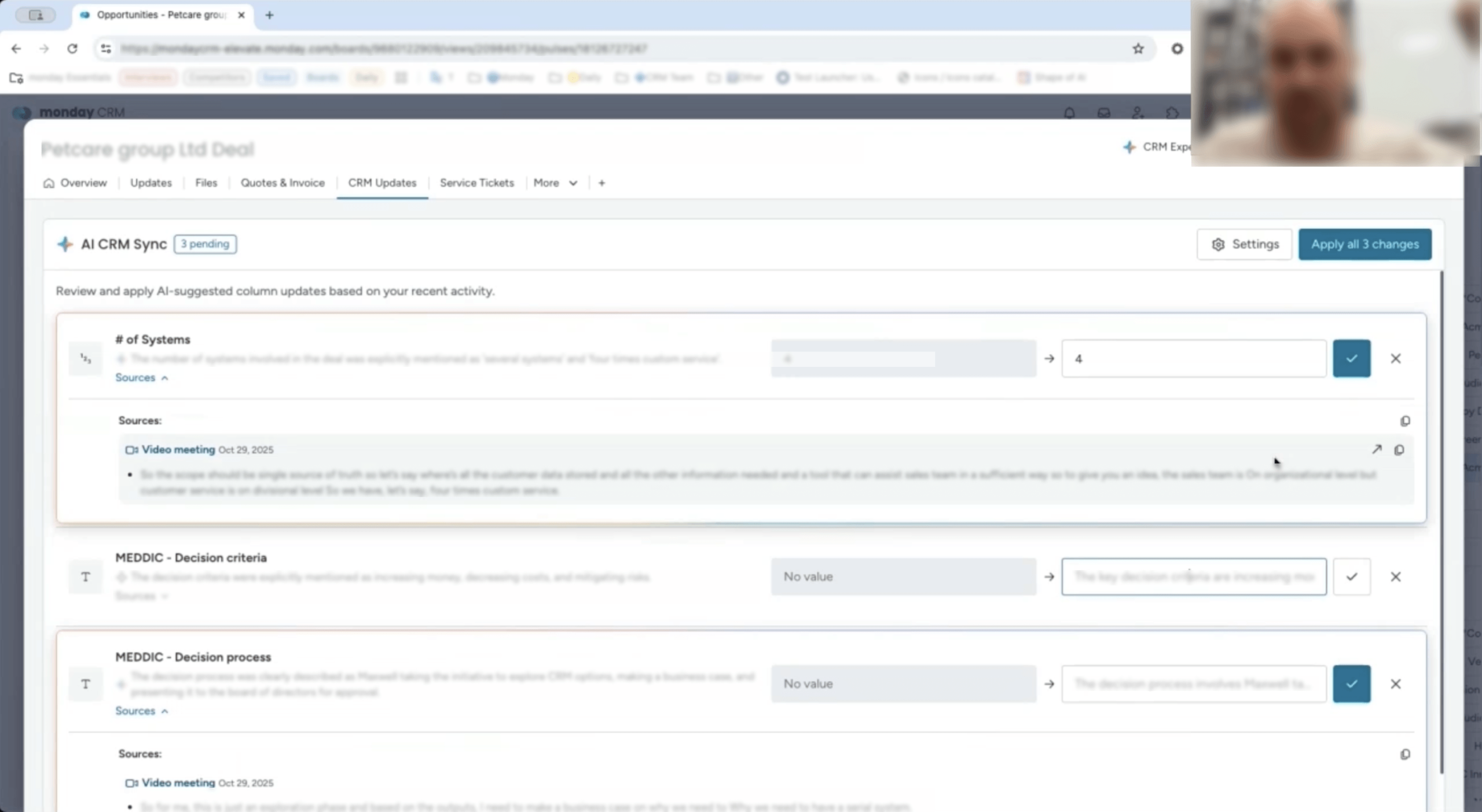
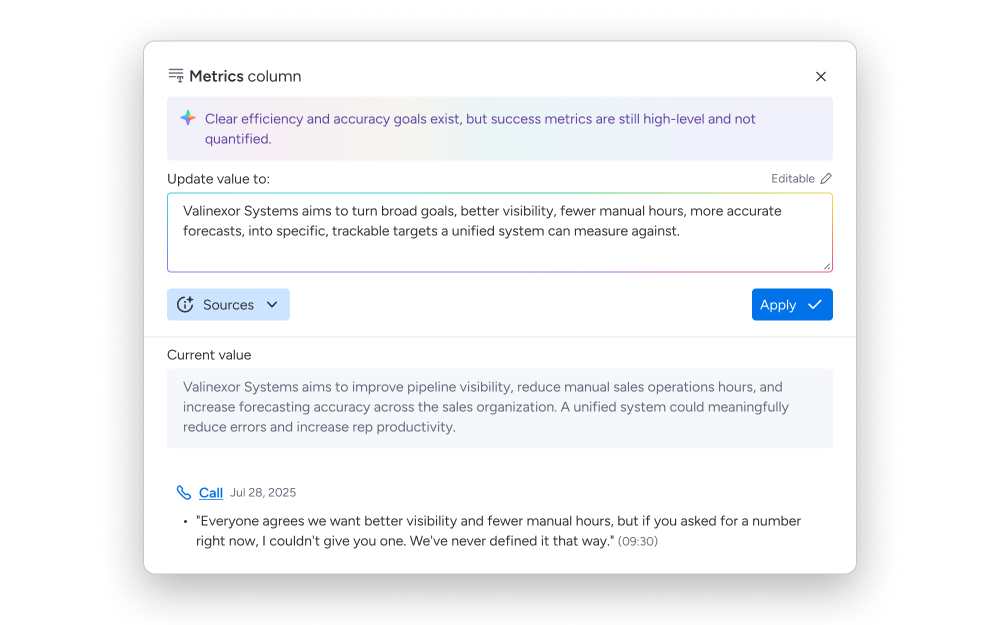
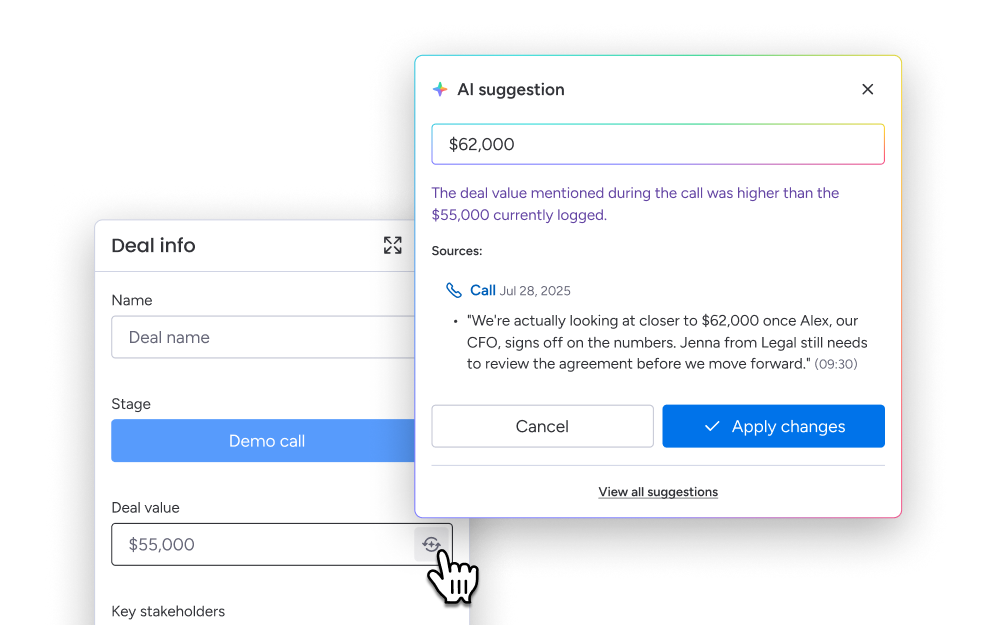
Users told us they needed to see where a suggestion came from, “if I can click and see where it came from, I’d trust it more.” We responded with source citations, every suggested update links to a timestamped moment in the original interaction.
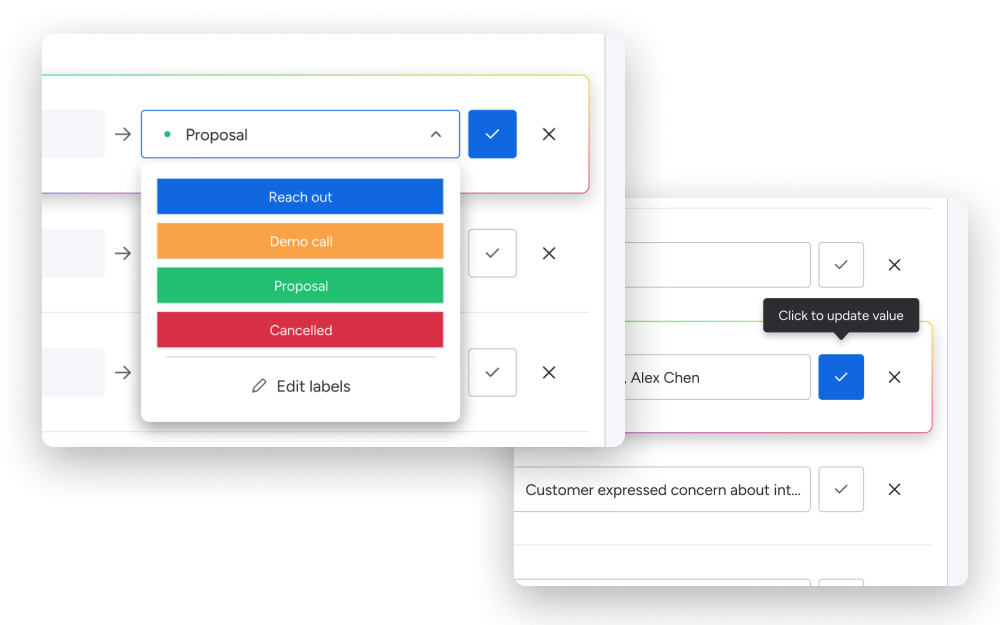
Others worried about blanket trust, “we’d need to constantly review that everything is correct.” We built field-level approval instead of an accept-all, so users could trust each suggestion on its own terms.
One participant flagged the workflow itself, “it should have been a pop-up right after the call, not a new page.” We redesigned the review flow to surface inline, right after the interaction, instead of sending users somewhere else.
Another wanted control over what AI could touch, “I’d want it to add context, not replace what’s already there.” We made append and merge the default, overwriting only on explicit intent.
And one comment cut to the core of it, “if I make a mistake, can I undo it?” That became undo and version history on every AI-applied change.
Defining Product Principles
These came directly out of the research, and every subsequent decision was measured against them.
Trust before automation
Users should always remain in control.
Show the source
Every suggestion traces back to where it came from.
Stay inside existing workflows
No additional tools or tabs.
Preserve customer context
Add to what’s there, don’t silently replace it.
Recovery is a feature
The ability to undo is what makes automation safe to trust.
Each of these principles went through several rounds of exploration, different layouts, interaction patterns, and usability tests,
before converging on the versions that shipped.
Solution
CRM Auto-Update
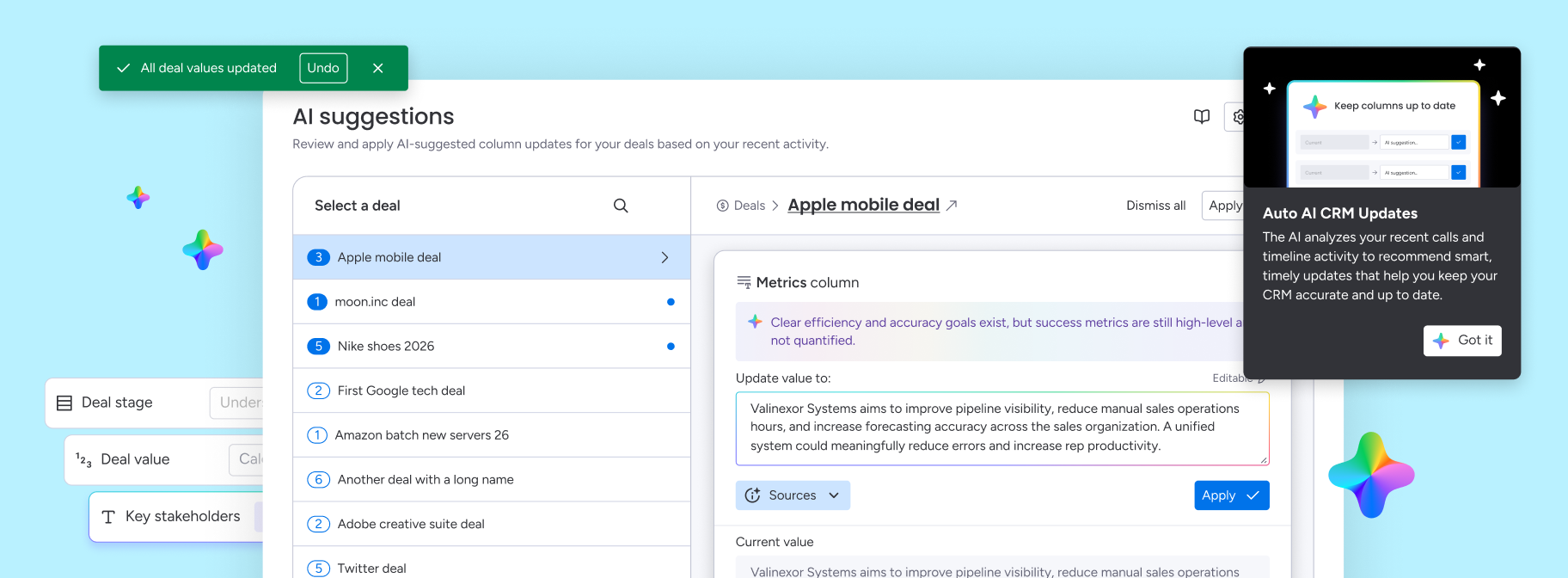
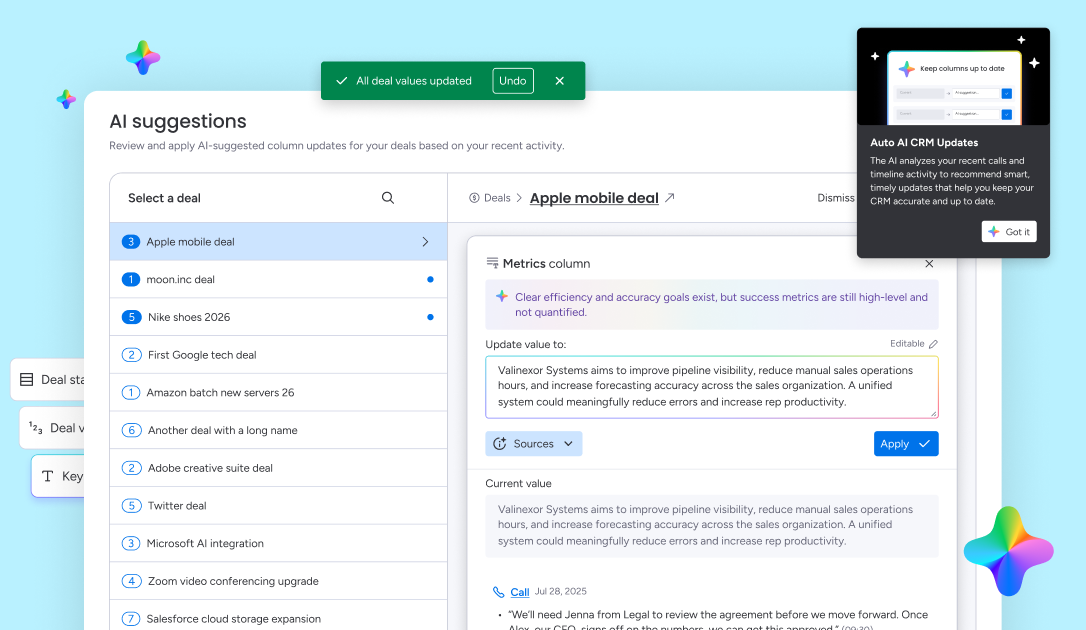
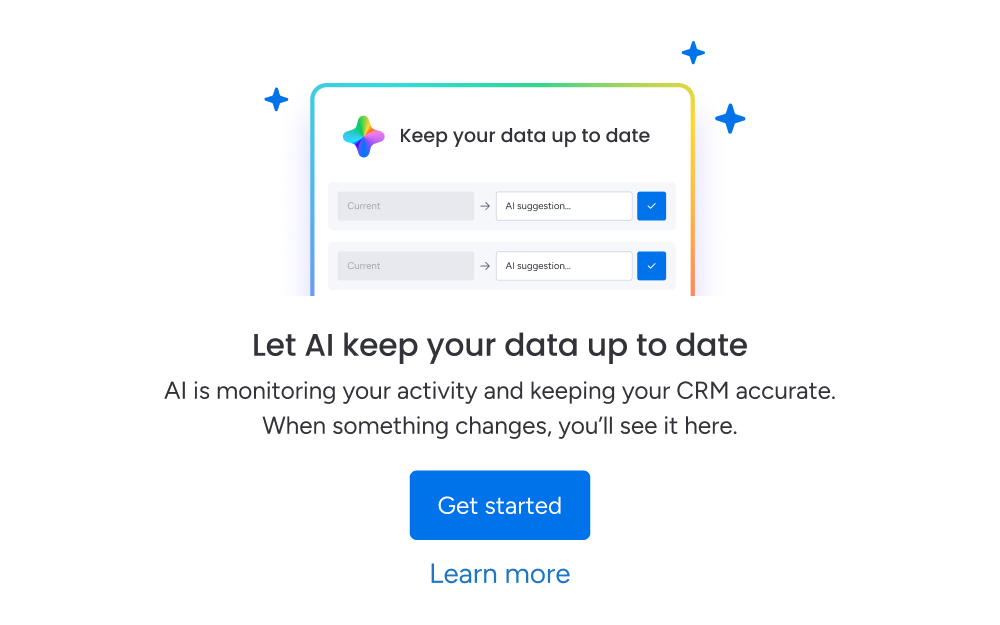
Rather than generating information, AI now transformed the full range of CRM interactions, meetings, emails, calls, and conversations, into structured CRM knowledge. After every interaction, users received intelligent suggestions for updating customer records.
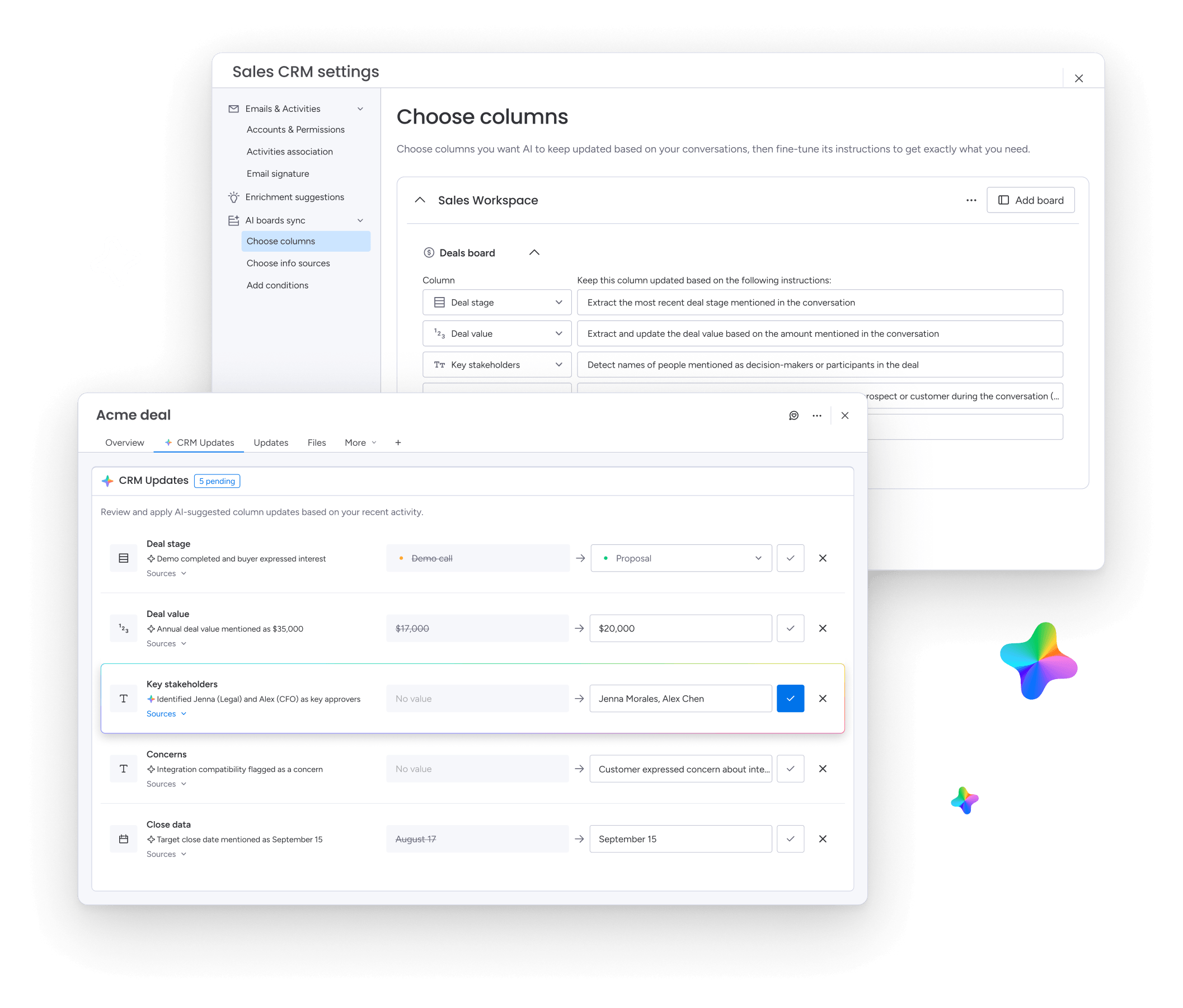
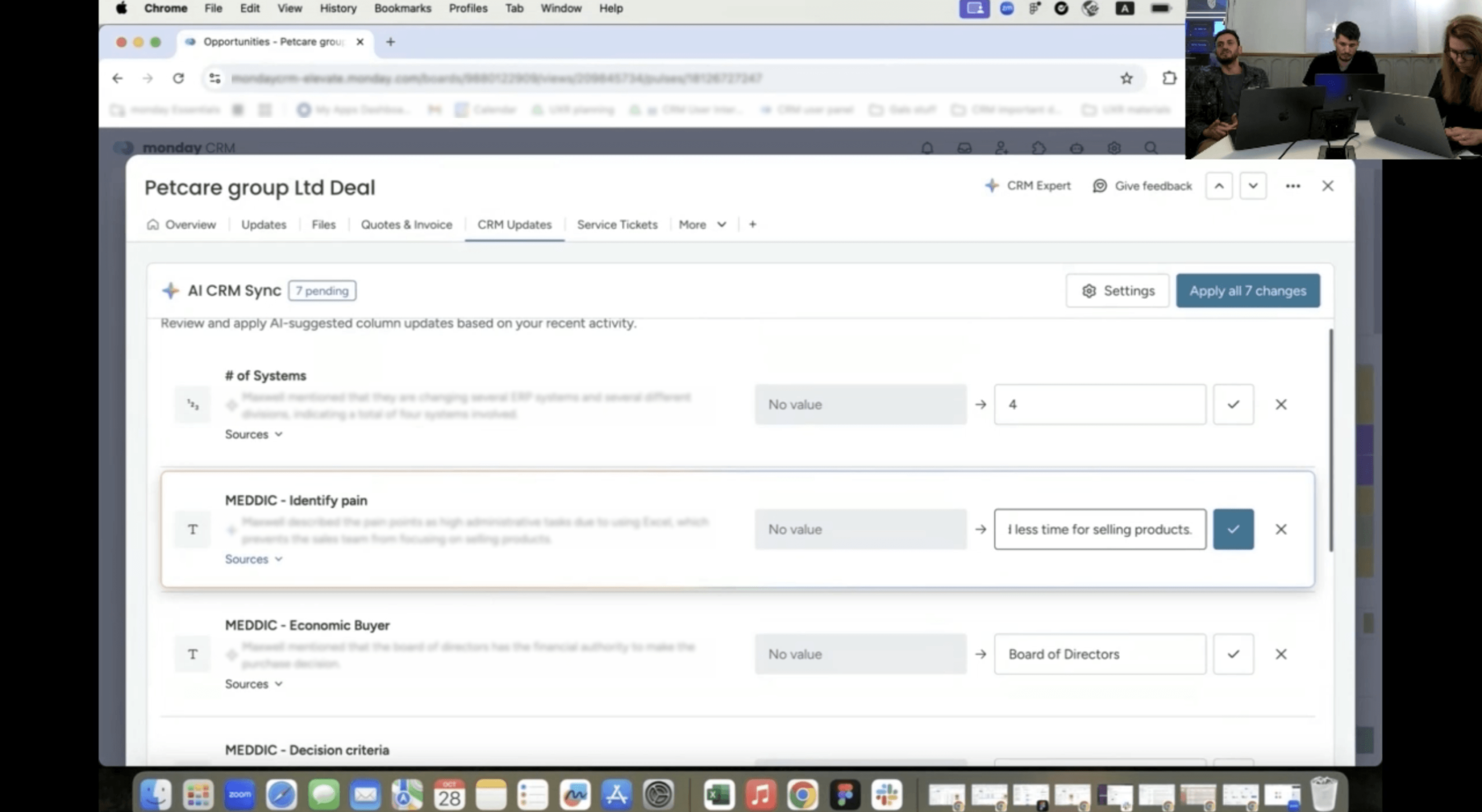
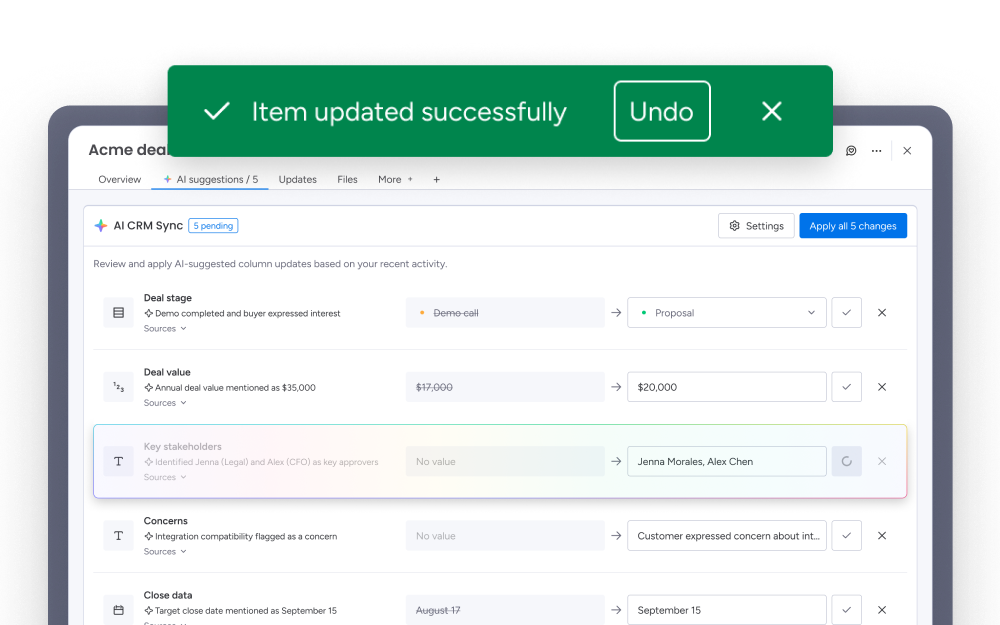
Each recommendation included the affected CRM field, the suggested value, supporting evidence, a direct citation from the source interaction, and easy review, edit, and approval.
AI became a collaborative assistant that accelerated accurate CRM maintenance, across every channel a rep already works in.
How it works
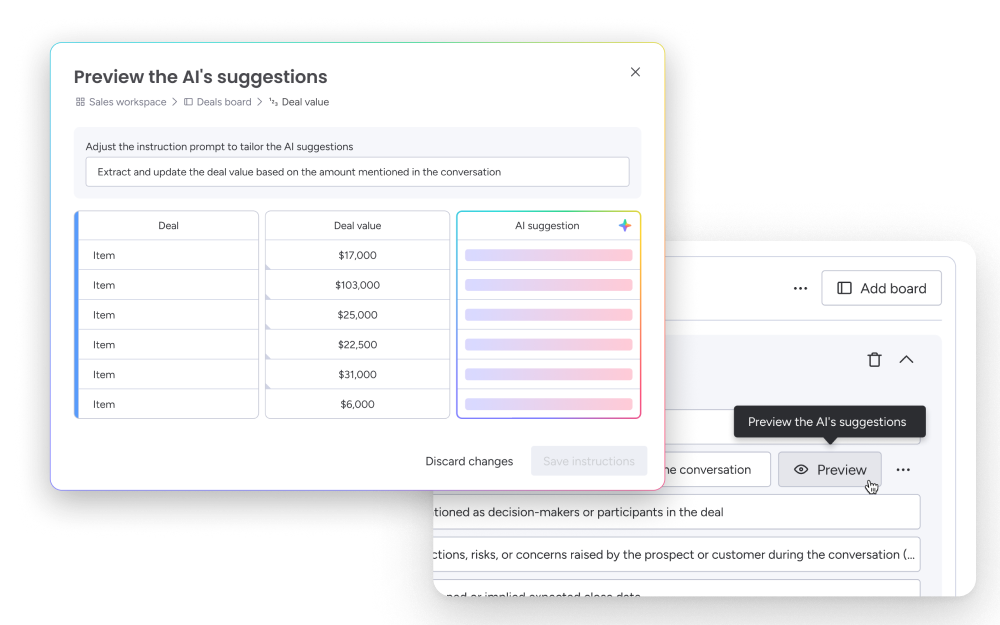
Users choose a workspace, board, and columns to sync. In this first version, without pre-built presets yet, we generate a starting prompt for each column automatically, based on what we infer it's meant to capture, so users begin from something relevant instead of a blank field. They can edit any prompt and test it against real data before it goes live.
Once active, suggestions appear inside the deal, each with its source. Users can edit, approve, or dismiss individually, or approve all at once for high-confidence columns.
Users can choose whether updates are auto-synced or need review and approval first. Default is needs approval, human in the loop.
Core UX
Human in the loop
How do you present AI-suggested CRM updates so users feel confident approving quickly, without rubber stamping a system they don't understand?
Field-level granularity
Approve Deal Stage without touching Deal Value.
Show the source
Every suggestion traces to a specific moment in the source interaction.
Preview before commit
Test AI behavior before applying it permanently.
Audit trail
Managers see which updates were AI-generated and who approved them.
Building Customer Context
CRM Update was never just about filling fields. Every accepted suggestion enriched the customer 's profile and made future interactions significantly more intelligent.
The CRM gradually evolved from a static database into a living source of customer knowledge. Instead of storing isolated meetings, it accumulated continuous context over time.
This enabled users to understand not only what happened in a single conversation, but the complete customer journey across months of interactions.
Accounts that actively enrich their CRM data are likely to churn less. CRM Auto-Update is potentially a retention lever for the whole platform.
What's Next
Toward an agentic platform
The next phase moves from "review every suggestion" toward earned autonomy, letting the system auto-apply the update types users have consistently approved, while keeping everything else in review.
Once that trust is earned, the same structured, source-cited context becomes the foundation for a broader layer of AI agents, agents that can prepare reps before meetings, research customer history, flag risks and opportunities, recommend next actions, monitor deal health, and coach sales performance.
Revenue Intelligence
From a single interaction to a self-updating CRM. Designed to turn every conversation, email, and call into structured, trusted, and continuously enriching customer knowledge.